Billing for medical services in an emergency department (ED) is time consuming and an administrative challenge. Add to it the layers of complexity brought in by OHIP billing codes, special visit premiums, and critical care scenarios that differ from other areas of medicine. Physicians often tend to under-bill to limit cases of denial or audits.
Our Goal:
Simplify the billing workflow for Ontario ER physicians by generating relevant codes, providing clear reasoning for each code type and maintaining compliance with provincial standards.
How it Works:
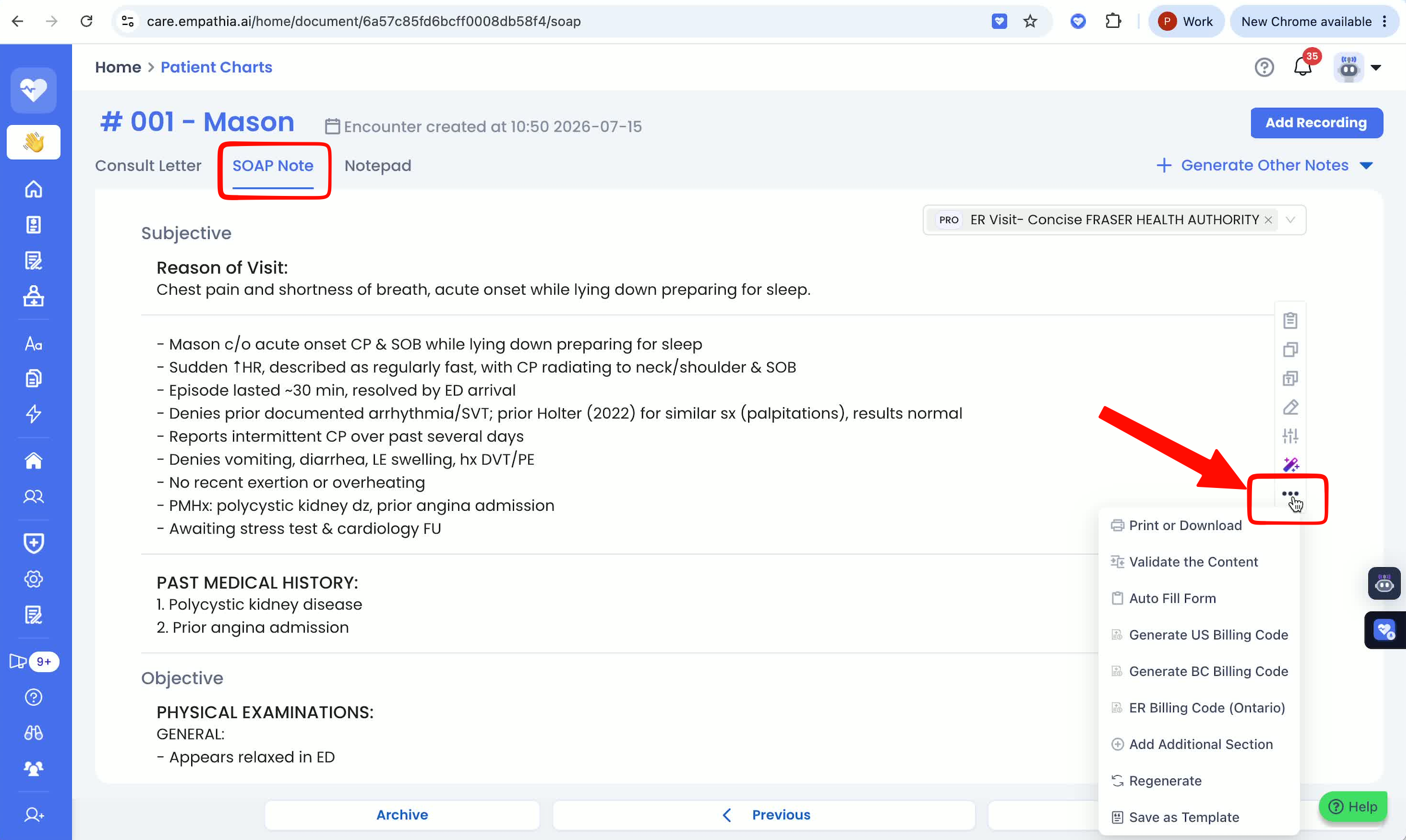
1. After your recording is complete, open the SOAP note that is generated & click on the 3 dots in the tool bar.
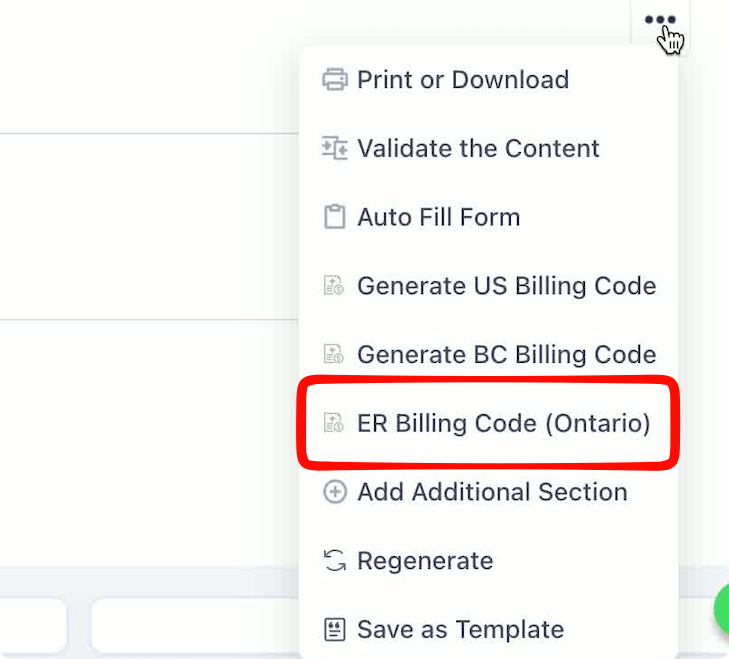
2. Click on the ER Billing Code (Ontario) option to generate the codes for that visit.
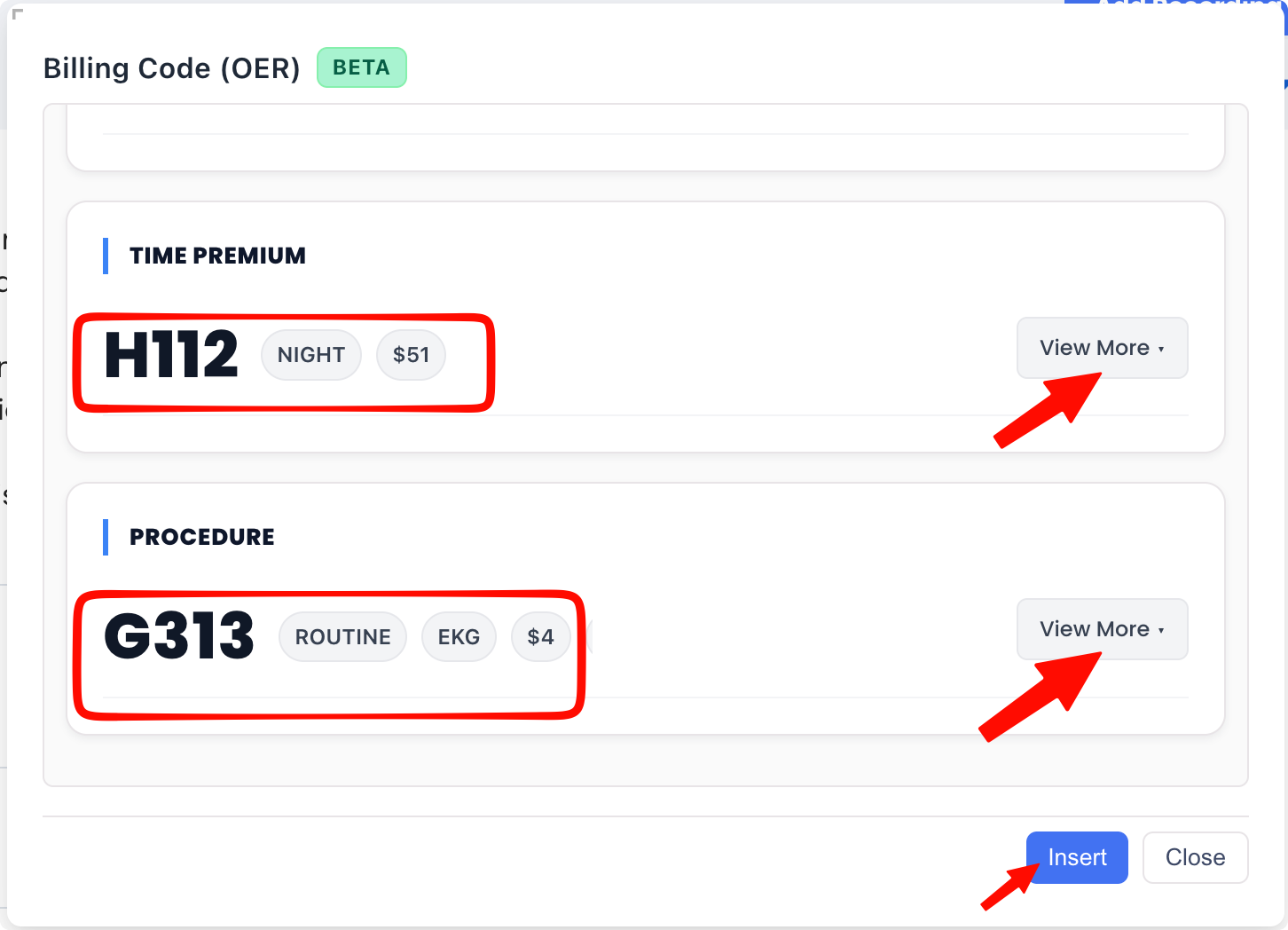
3. Review the codes generated, along with the rationale. The Billing Assistant supports H codes, Special Visit Premiums and Procedure Codes (ensure that the information is captured in the visit context or the transcript).
Then click on "Insert" to add all the information directly to your note.
If you don't see this feature on your account or have any questions/ feedback, reach out to us directly at support@empathia.ai
Was this article helpful?
That’s Great!
Thank you for your feedback
Sorry! We couldn't be helpful
Thank you for your feedback
Feedback sent
We appreciate your effort and will try to fix the article